
TWO PHOTOS · ONE PIER · THE REFERENCE AUDIO
Raindance AI Video Generator From Two Photos
Make a Raindance AI video from two separate photos. Person 1 replaces the character sitting on the pier when the clip opens; person 2 replaces the one who walks down the pier and sings in the close-ups. Choose 5, 10, 15 or 30 seconds at 480p or 720p (1080p on Seedance 2.0 and 2.5), and you get a 4:3 MP4 that already carries the reference clip's audio. No prompt, no editing, no song to line up.
4:3 MP4 · 5, 10, 15 or 30 s · 480p to 1080p · Reference audio kept · 4 Seedance models · From 5 credits · Credits returned if a video fails
Person 1 · on the pier
Takes the role of the character waiting on the pier at the start
Person 2 · walks in
Takes the role of the character who walks up and sings to the camera
JPG, PNG or WebP up to 20 MB, at least 300 px on the short side and no more than 2.5 times as wide as tall (or tall as wide). One person per photo. Only upload people who have agreed to it.
This Raindance AI video costs 172 credits. They're charged when you start and returned automatically if the video fails.
Raindance AI videos use purchased or subscription credits. Free signup credits don't cover this tool.
Raindance AI at a glance
The short version, if you're comparing Raindance AI tools.
| What you upload | Two photos, one person in each. A single photo with both people is not supported. |
|---|---|
| Who plays whom | Photo 1 = the person seated on the pier at the start. Photo 2 = the person who walks in and sings in the close-ups. One click swaps them. |
| Length | 5, 10, 15 or 30 seconds. The full reference performance runs about 29 seconds. |
| Format | 4:3 MP4. 480p (640 × 480) and 720p (960 × 720) on every model; 1080p (1440 × 1080) on Seedance 2.0 and 2.5. No 9:16 version. |
| Models | Seedance 2.0 Mini, 2.0 Fast, 2.0 and 2.5, picked by you before you generate. |
| Audio | The finished MP4 keeps the reference clip's audio. You don't need to add the song afterwards. |
| Price | 5 to 915 credits depending on model, length and resolution; a 10-second 720p video is 19 credits on Seedance 2.0 Mini and 172 on Seedance 2.5. Failed videos are refunded. |
| Watermark | Videos made before your first purchase carry a small moving watermark. Videos made after any purchase have none. |
Raindance AI trend examples
Three Raindance swaps from the TikTok trend, each about 29 seconds. The same pier, the same walk-up and the same close-ups, with different characters in both roles.
Community videos by Tyler (@tyleeeee15) on TikTok, shown to illustrate the trend. They were not made with this generator, and your result depends on your photos and the model you pick.
How to make a Raindance AI video
Three steps, all in the generator above. It works the same in a phone browser; there is no app to install.
- 01
Add one photo per person
Put the person who should wait on the pier in the first slot and the one who should walk in and sing in the second. Use Swap roles if you change your mind.
- 02
Choose model, length and resolution
Pick a Seedance model, 5 to 30 seconds and 480p, 720p or 1080p. The exact credit price shows before you start.
- 03
Generate and download
Most videos are ready in a few minutes. Watch it through, then download the MP4. If the video fails, the credits go back automatically.
You don't write a prompt. The reference clip fixes the pier, the shots and the timing, and a role-by-role instruction tells the model which photo replaces which character in every cut.
Full guide: how to make a Raindance AI video ↗Who plays whom in a Raindance AI video
The roles follow the story of the clip, not who stands on the left or right, so a person keeps the same role through every cut.
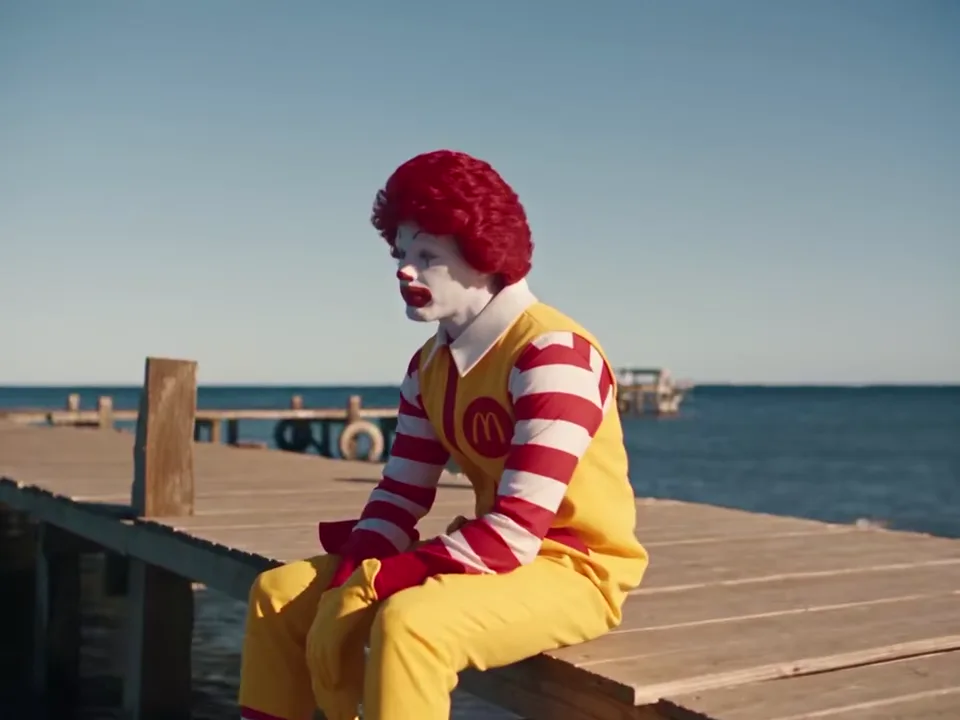
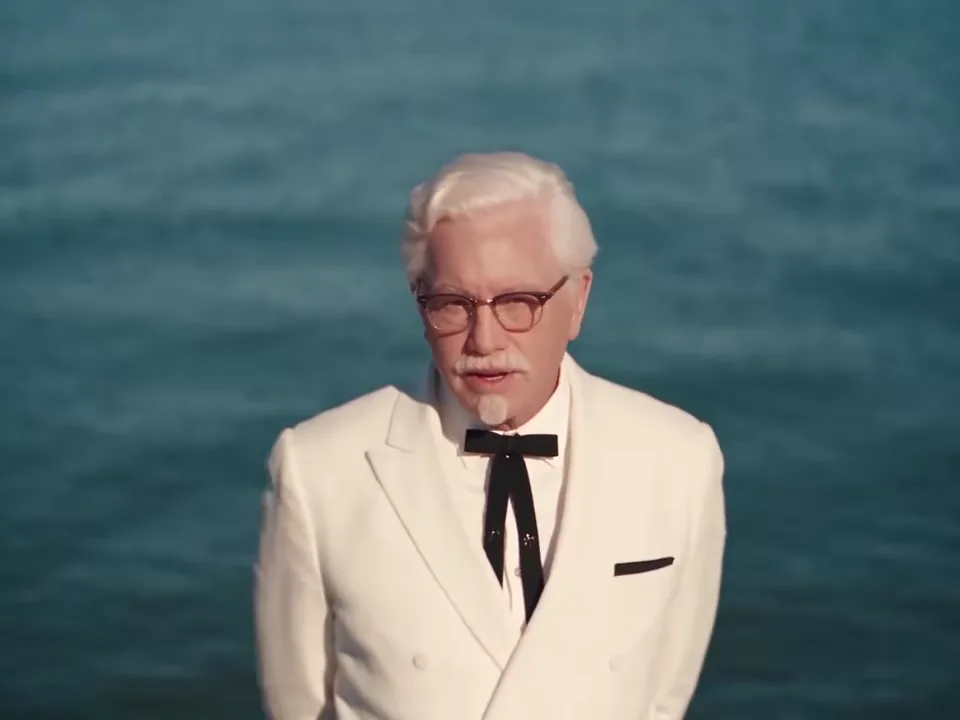
Other tools number their photos differently, so check the labels before you upload. Here, the label above each slot names the role, and Swap roles flips both photos without uploading again.
Best photos for Raindance AI
The model rebuilds each person from a single photo, so the photo decides most of the likeness.
- One person per photo. Crop out friends and strangers; a second face in the frame can leak into the video.
- Face the camera. Both eyes and the mouth visible, or a slight three-quarter turn at most.
- Even light. Daylight or a bright window; avoid harsh backlight and deep shadows across the face.
- Head to waist. Keep the hair in frame and show some of the outfit, because clothing is replaced too.
- Nothing over the face. No sunglasses, masks, hands or phones; a mirror selfie can bring the phone into the video.
- No heavy filters. Beauty filters and strong edits make the face harder to hold through the close-ups.
Which model to use
All four models get the same photos, reference clip and role instructions. They differ in price, resolution and how well they hold two faces through cuts.
| Model | Resolutions | 10 s at 720p | Notes |
|---|---|---|---|
| Seedance 2.0 Mini | 480p, 720p | 19 | Cheapest way to test your photos. Faces can drift in the busier shots. |
| Seedance 2.0 Fast | 480p, 720p | 69 | A step up in detail at a moderate price. |
| Seedance 2.0 | 480p, 720p, 1080p | 114 | Adds 1080p. A 30-second video is made in two 15-second parts. |
| Seedance 2.5 | 480p, 720p, 1080p | 172 | The default. Reviews both photos first, then makes up to 30 seconds in one pass. |
No model guarantees that both faces stay identical in every frame. Try a short, cheap video with your photos first, then make the long version on the model that held them best.
Does the Raindance AI video include the song?
Yes. The models make a silent video, and the finished MP4 gets the audio of the matching reference clip, cut to the same length. Many Raindance AI tools export silent video and leave the song to you; here it's already in the file.
Posting on TikTok? You can still mute the clip and add the official sound in the app, so your post shows up on the trend's sound page.
More on the song and the TikTok sound ↗What is the Raindance AI trend?
The Raindance AI trend takes a short pier scene set to "Raindance" by Dave featuring Tems and recasts both people in it. One waits on a wooden pier by the sea, the other walks up and sings, and the clip ends with the two of them together on the sand.
Creators fill the two roles with couples, best friends, parents, pets and cartoon characters. Because every version follows the same shots, the fun is in who you put in them.
This page uses one fixed reference cut of that scene, so every Raindance AI video made here has the same shots and timing.
Opus 5.5 Video is not affiliated with Dave, Tems, their labels or TikTok. Make sure you have permission from the people in your photos and follow the rules of the platform you post on.
Trend template vs. a regular image-to-video tool
| Raindance template (this page) | General image-to-video | |
|---|---|---|
| Input | Two photos, one per role | Usually one starting image and a prompt |
| Motion and shots | Copied from the reference clip, cuts included | Invented by the model, often one continuous shot |
| Two people | Each photo bound to one role for the whole video | Needs careful prompting to keep two identities apart |
| Audio | Reference audio included | Silent or AI-generated sound |
| Prompt | None needed | You write and rewrite it |
How much a Raindance AI video costs
Credits per video at 720p. 480p costs less, and 1080p (Seedance 2.0 and 2.5 only) more; the generator shows the exact price for your settings before you start.
| Model | 5 s | 10 s | 15 s | 30 s |
|---|---|---|---|---|
| Seedance 2.0 Mini | 10 | 19 | 28 | 56 |
| Seedance 2.0 Fast | 35 | 69 | 103 | 205 |
| Seedance 2.0 | 57 | 114 | 171 | 342 |
| Seedance 2.5 | 86 | 172 | 258 | 516 |
Before you pay
- Watching the reference clip and the examples is free.
- There is no free generation and no free preview; signup gift credits don't apply to this tool.
- Videos made before your first purchase carry a small moving watermark.
After any purchase
- Credit packs start at $5 for 50 credits; monthly plans start at $9.
- New videos have no watermark.
- A failed video returns its credits automatically.
What this tool can't do
- One photo with both people. Each person needs their own photo.
- Vertical 9:16. The pier scene is 4:3; TikTok and Reels accept it with bars.
- Other scenes. This page makes the pier performance only.
- Perfect likeness. Faces can drift for a moment in wide shots or when both people overlap.
- A free try. Every video is paid with purchased or subscription credits.
Raindance AI FAQ
What is Raindance AI?
Raindance AI is the name for the TikTok trend that recasts the two people in the "Raindance" pier scene, and for tools that make it. On this page you upload two photos and get the same scene with those two people, as a 4:3 MP4 with the reference audio.
Do I need two separate photos, or can I use one photo of both of us?
Two separate photos, one person in each. Each photo is bound to one role, so a group photo can't be split between them.
Which photo plays which role?
Photo 1 replaces the character seated on the pier at the start. Photo 2 replaces the character who walks down the pier and sings in the close-ups. Swap roles flips them.
Is there a free Raindance AI generator?
Not here. Every video uses purchased or subscription credits, and signup gift credits don't apply. The cheapest video is 5 credits (Seedance 2.0 Mini, 5 s at 480p); credit packs start at $5.
Can I download a Raindance AI video without a watermark?
Yes. Videos you make after any purchase have no watermark. Videos made on a free account keep a small moving watermark.
How much does one Raindance AI video cost?
A 10-second 720p video costs 19 credits on Seedance 2.0 Mini, 69 on 2.0 Fast, 114 on 2.0 and 172 on 2.5. A 30-second video costs three times the 10-second price. The full range is 5 to 915 credits.
Does the Raindance AI video come with the song?
Yes. The MP4 keeps the reference clip's audio at the same length as your video. On TikTok you can also replace it with the official sound.
Do I need to write a Raindance AI prompt?
No. The prompt is fixed on the server: it tells the model to copy the reference shots and timing, and which photo replaces which character in every cut.
Which model keeps both faces most consistent?
Seedance 2.5 is the default because it is built for several references at once, but no model is guaranteed. Make a short Seedance 2.0 Mini video first to see how your photos hold up.
Can I make a Raindance AI video on my phone?
Yes. The generator works in mobile Safari and Chrome; upload two photos from your camera roll. There is no app to install.
How long does it take?
Usually a few minutes; Seedance 2.5 first spends a minute or two checking the photos. You can leave the page and come back to the video later.
Why did a face change or a hand look wrong?
Drift happens most in wide shots and when the two people overlap. Use a sharper, front-facing photo with nothing covering the face, or try Seedance 2.5. Failed videos are refunded; a finished video you don't like is not.
What happens to my photos?
Your photos are stored under random, unlisted links that are given only to the video model. They are not shown on any page or to other users, and only you can open your videos while signed in.
Put two people on the pier
Two photos, one model, a few minutes.
Make a Raindance AI video