
Best Photos for Raindance AI: Roles, Framing and Face Drift Fixes
Which photo goes in which slot, what a good Raindance AI photo looks like, the upload limits, and what to change when a face drifts in the wide shots.
Which photo goes where
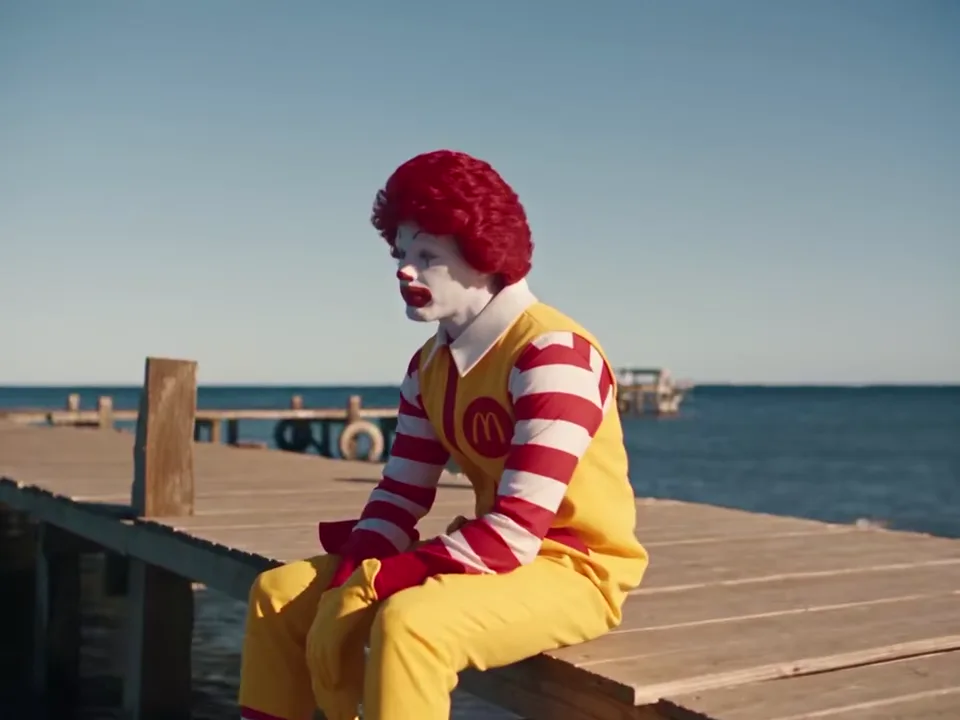
Slot 1 replaces this character: on the pier at the start, then on the sand.
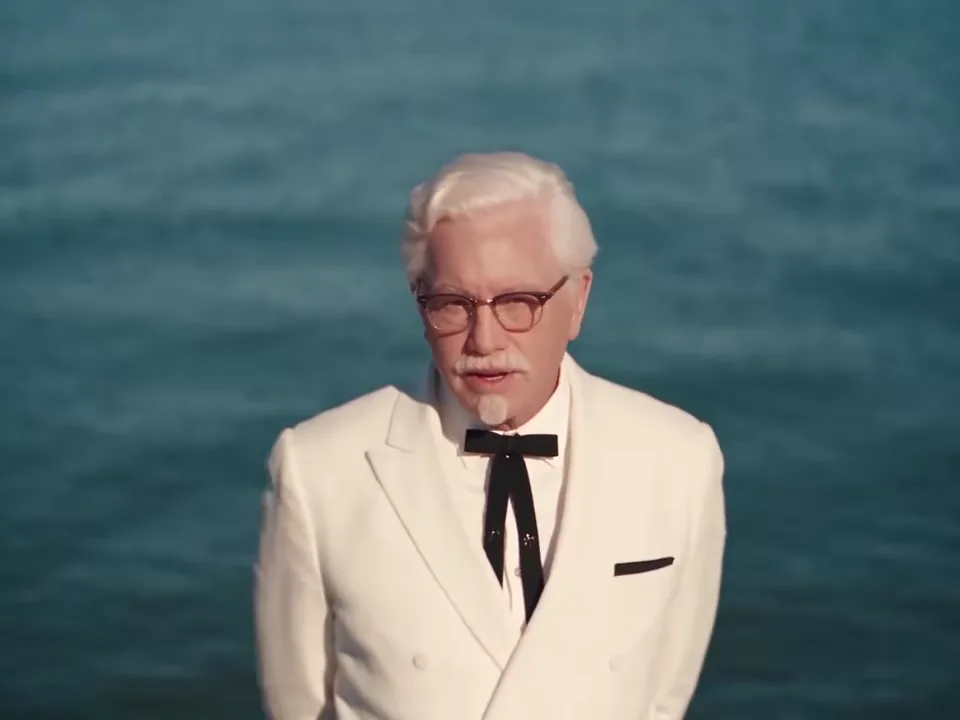
Slot 2 replaces this character: walking in and every singing close-up.
Person 2 gets the close-ups, so give that slot your sharpest photo. Person 1 is mostly seen from further away, where a clear face shape and hairstyle matter more than fine detail.
Other Raindance AI tools number their photos differently, so on another site check the labels. Here, Swap roles flips the two photos at any time.
What makes a good photo
| Do | Avoid | Why |
|---|---|---|
| One person in the frame | Group photos, a friend half in the shot | A second face can leak into the video |
| Facing the camera, both eyes visible | Profiles, looking down | The close-ups are nearly front-on |
| Soft daylight or a bright window | Strong backlight, shadows across the face | Shadows get read as features |
| Head to waist, hair in frame | Tight face crops, cut-off hair | Hair and clothing are replaced too |
| A normal camera photo | Mirror selfies, phone in hand | The phone can show up in the video |
| Little or no filtering | Beauty filters, heavy edits, sunglasses, masks | They make the face harder to hold |
Upload limits
- Formats: JPG, PNG or WebP. Convert iPhone HEIC photos first, for example by taking a screenshot of the photo.
- Size: up to 20 MB each. Large photos are scaled down to 1536 px on the long side in your browser before upload.
- Shape: at least 300 px on the short side, at most 6000 px on the long side, and no more than 2.5 times as wide as tall (or tall as wide).
A photo outside these limits is marked in red with its size, before anything is charged.
When a face drifts
Even with good photos, a face can slip for a moment, most often in the wide opening shot (the face is tiny) and when the two people overlap on the sand. What helps, in order:
- A better photo for the person who drifts: sharper, more front-facing, the whole head in frame.
- Seedance 2.5, the default model, which takes both photos as separate references and checks them first.
- Higher resolution for the close-ups, 720p or 1080p.
No model keeps both faces identical in every frame. Test with a short, cheap video first: a 5-second Seedance 2.0 Mini video at 480p shows whether a photo works before you pay for 30 seconds. Failed videos are refunded; finished ones aren't.
Only people who agreed
Upload only photos of people who agreed to be in the video, and don't use it to mislead anyone. Your photos are kept under random, unlisted links that are only given to the video model.